
From order to productionin a single step.

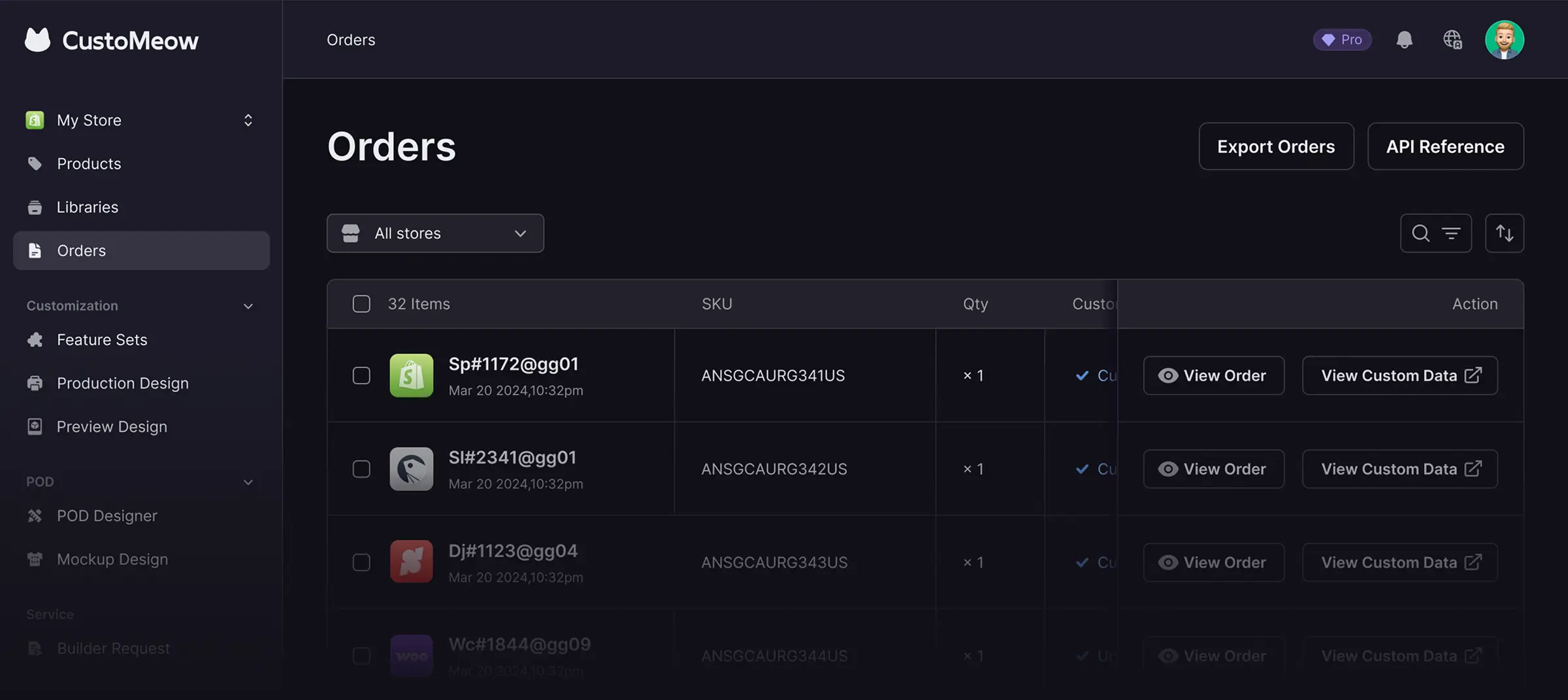
Once your customer places an order, all personalization data is immediately available.
Production-ready files are generated automatically, with online tools to preview and edit templates.
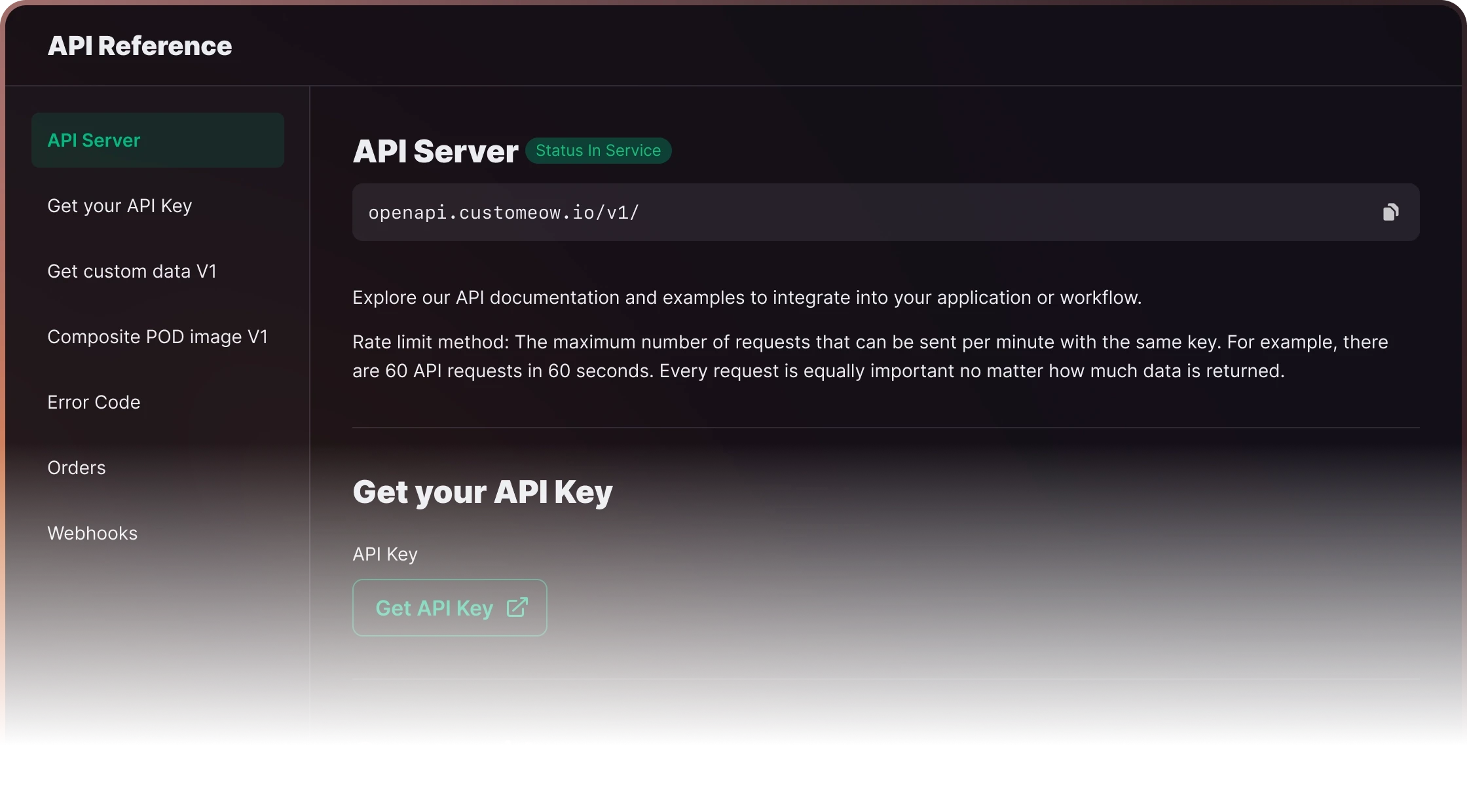
You can export data in one click or integrate via API to support any operation scenario.
From order to productionin a single step.
Once your customer places an order, all personalization data is immediately available.
Production-ready files are generated automatically, with online tools to preview and edit templates.
You can export data in one click or integrate via API to support any operation scenario.
From order to productionin a single step.
Once your customer places an order, all personalization data is immediately available.
Production-ready files are generated automatically, with online tools to preview and edit templates.
You can export data in one click or integrate via API to support any operation scenario.
How it works
How it works
How it works


01
Customize Online / Design Online
Your customers can personalize their products online or design them using the POD Designer
01
Customize Online / Design Online
Your customers can personalize their products online or design them using the POD Designer
01
Customize Online / Design Online
Your customers can personalize their products online or design them using the POD Designer

02
Place orders
Your customers place their orders on your website.
02
Place orders
Your customers place their orders on your website.
02
Place orders
Your customers place their orders on your website.

03
Receive personalization orders
Orders with customization details are synced directly to CustoMeow.
03
Receive personalization orders
Orders with customization details are synced directly to CustoMeow.
03
Receive personalization orders
Orders with customization details are synced directly to CustoMeow.

04
Instantly auto-generate production files
Customization data is automatically compiled into a production-ready file. You can edit it anytime and re-export it for your factory.
04
Instantly auto-generate production files
Customization data is automatically compiled into a production-ready file. You can edit it anytime and re-export it for your factory.
04
Instantly auto-generate production files
Customization data is automatically compiled into a production-ready file. You can edit it anytime and re-export it for your factory.


05
Shipping
We help factories speed up production, significantly boosting efficiency and shortening delivery times for your customers.
05
Shipping
We help factories speed up production, significantly boosting efficiency and shortening delivery times for your customers.
05
Shipping
We help factories speed up production, significantly boosting efficiency and shortening delivery times for your customers.
Highlights of personalized orders
Highlights of personalized orders
Highlights of personalized orders

View Custom Data
Easily view personalization data right inside the order
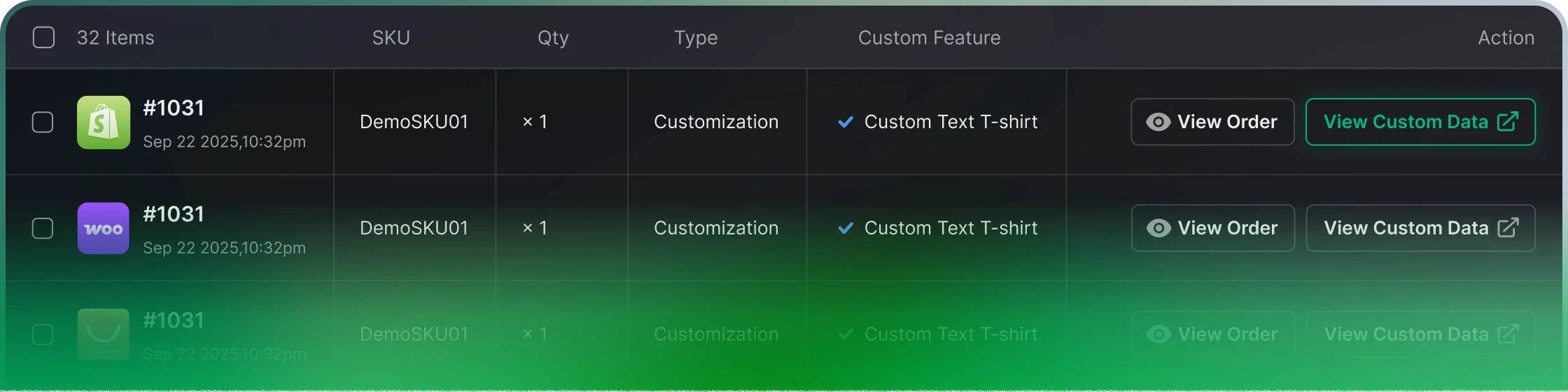
View Custom Data
Easily view personalization data right inside the order
View Custom Data
Easily view personalization data right inside the order
Information
This is the essential customization data. If you encounter any issues, you can provide this data to our support team to help us quickly identify the problem.

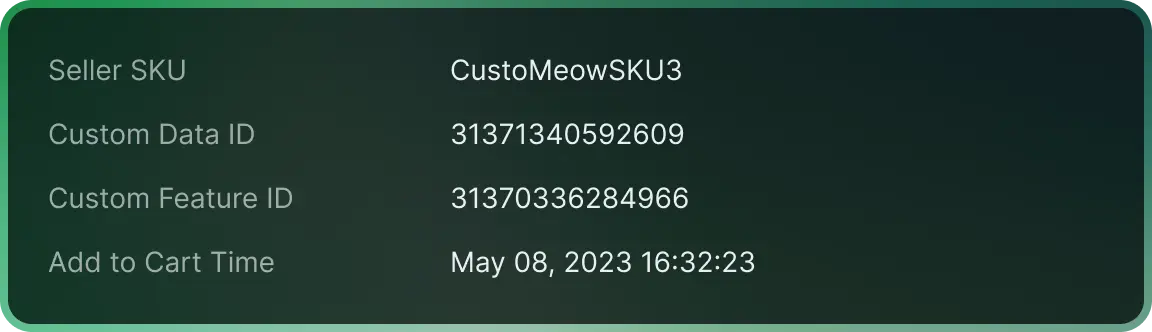
Information
This is the essential customization data. If you encounter any issues, you can provide this data to our support team to help us quickly identify the problem.
Information
This is the essential customization data. If you encounter any issues, you can provide this data to our support team to help us quickly identify the problem.
Design Template
These are the production-ready design templates, which you can download or edit online.
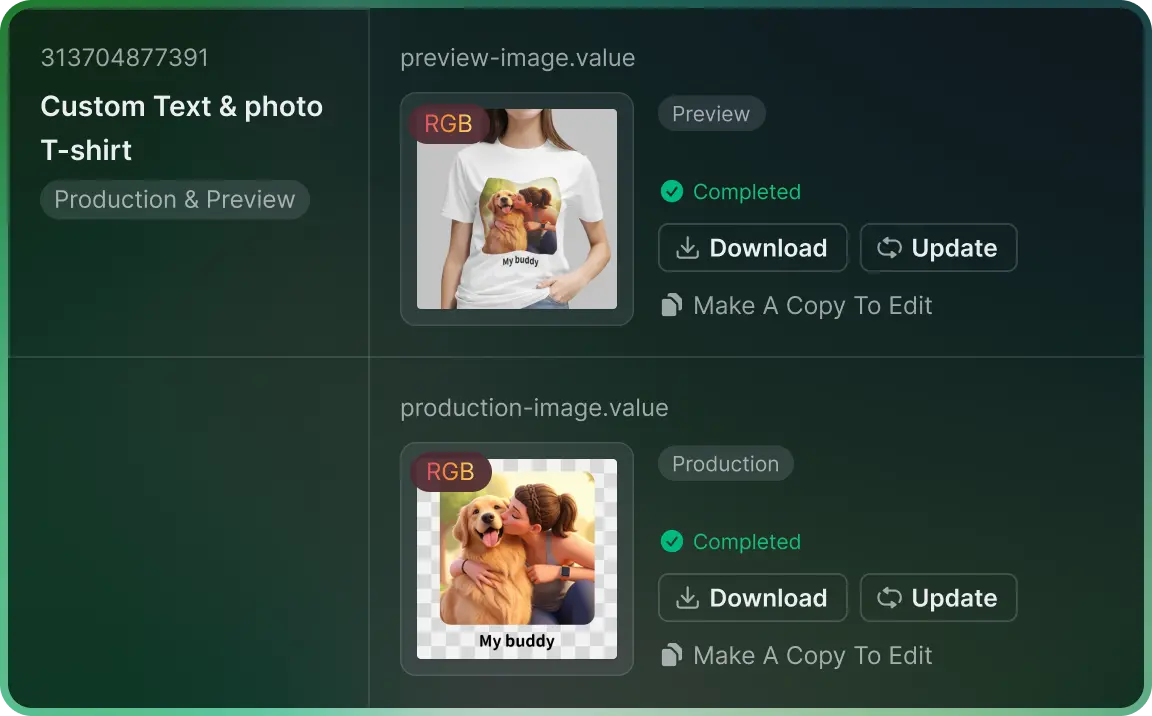
Design Template
These are the production-ready design templates, which you can download or edit online.
Design Template
These are the production-ready design templates, which you can download or edit online.
All Custom Data
Your customer’s personalized all custom data.
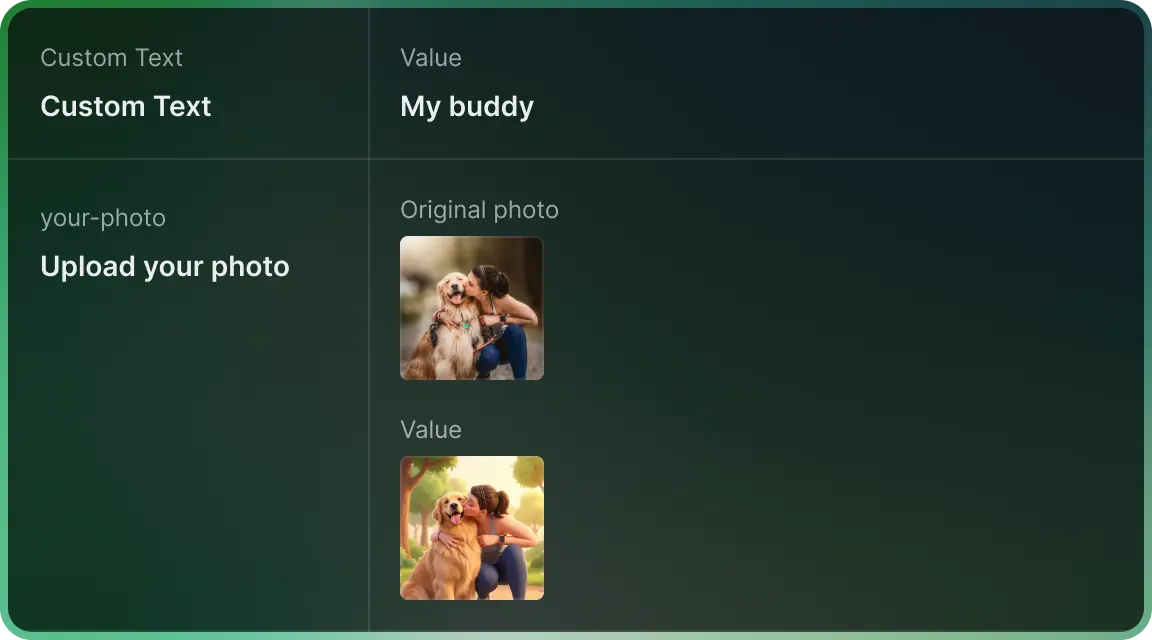
All Custom Data
Your customer’s personalized all custom data.
All Custom Data
Your customer’s personalized all custom data.

Export Custom Data
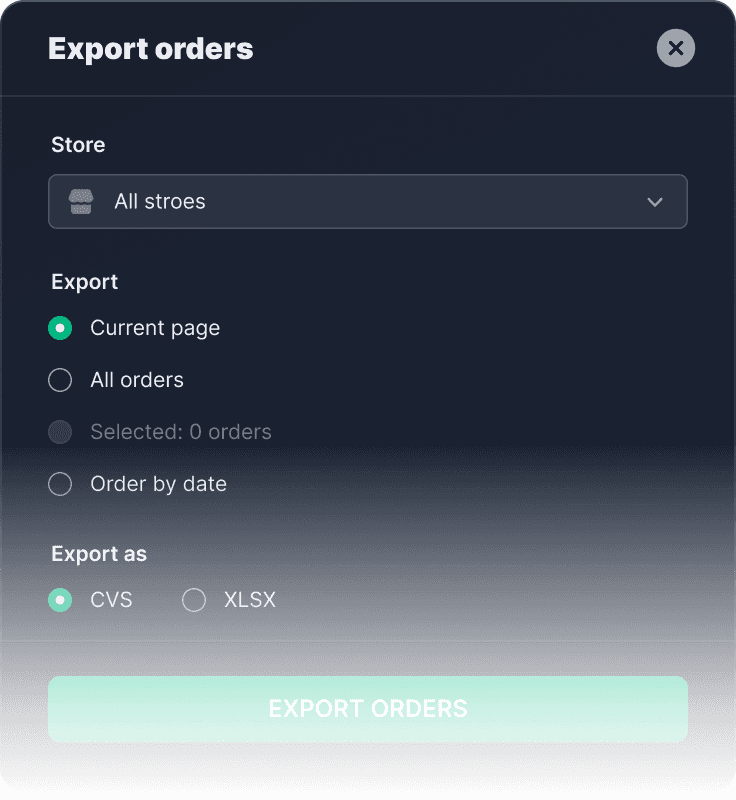
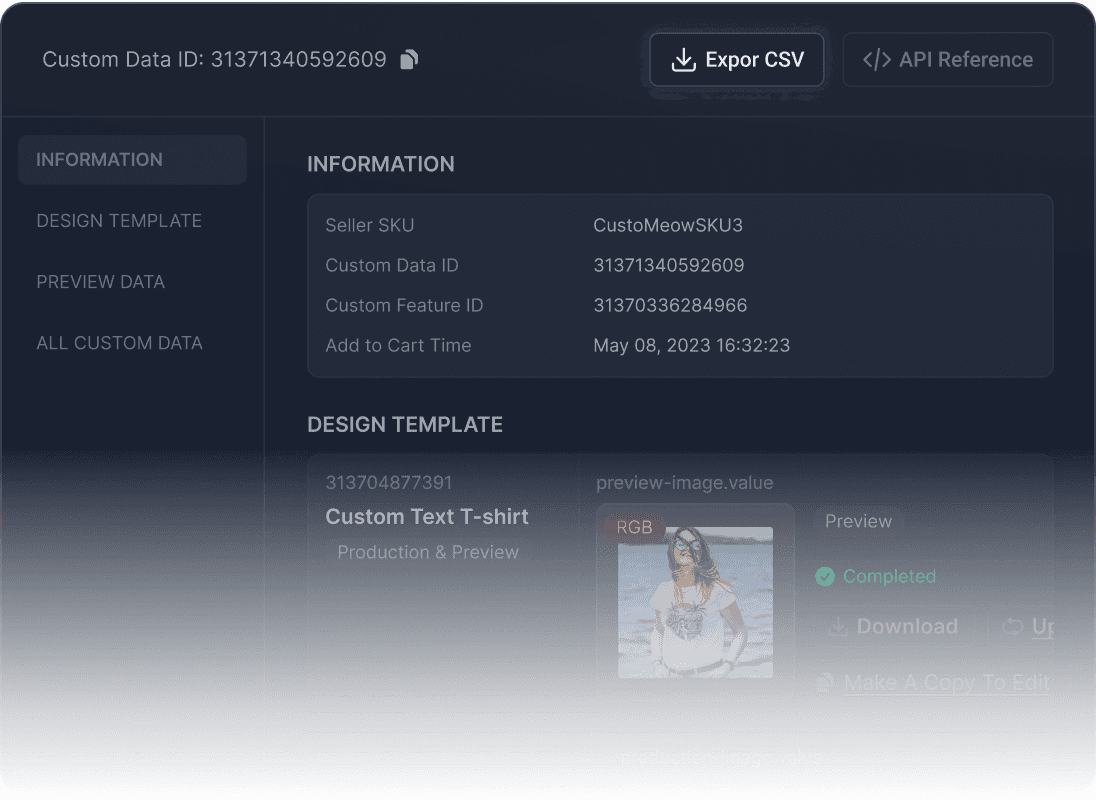
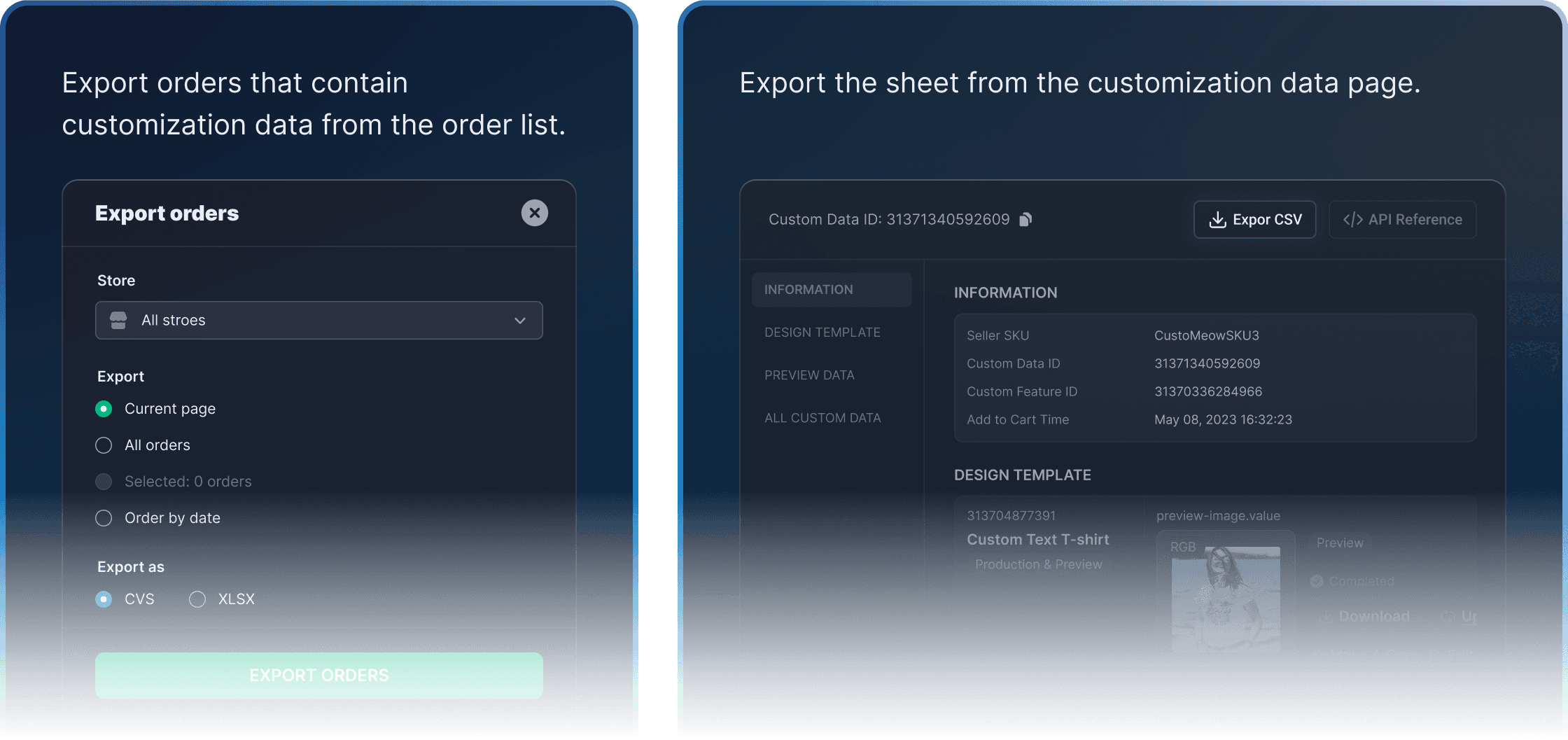
You can export the customization data sheet with one click.
Export orders that contain customization data from the order list.
Export the sheet from the customization data page.
Export Custom Data
You can export the customization data sheet with one click.
Export orders that contain customization data from the order list.
Export the sheet from the customization data page.
Export Custom Data
You can export the customization data sheet with one click.
Export orders that contain customization data from the order list.
Export the sheet from the customization data page.


More advanced production files
If your production files are non-print and require non-image file types, you may want to check out meowflow.com.cn
More advanced production files
If your production files are non-print and require non-image file types, you may want to check out meowflow.com.cn
More advanced production files
If your production files are non-print and require non-image file types, you may want to check out meowflow.com.cn
Frequently Asked Questions
about CustoMeow
Frequently Asked Questions
about CustoMeow
Frequently Asked Questions about CustoMeow
After my customer places an order, how long does it take for it to sync to CustoMeow?
After your customer places an order, the platform (Shopify, SHOPLINE, etc.) will automatically push the order to CustoMeow. If the order hasn’t synced, you can also click the ‘Update’ button in the Orders section to manually sync it.
How is the order transaction fee calculated?
Does the exported order spreadsheet include the production files?
Yes. Once the order is synced, we automatically generate the production files right away, so the exported spreadsheet will already include the links to the generated production files.
Can I modify the production file? What should I do if my customer requests changes?
You just need to go to the customization data page, find the design template, click the ‘Copy & Edit’ button, make your changes, save it, and then download the file.
Why does my personalized product only have preview data?
You can go to your CustoMeow store, open More → Hide Customization Data, and change it to Show All. This will ensure that all customization data is saved to the product item after the customer completes their customization.
If my production file is a DXF, or if I need to add an outer contour to the production image, is that possible?
After my customer places an order, how long does it take for it to sync to CustoMeow?
After your customer places an order, the platform (Shopify, SHOPLINE, etc.) will automatically push the order to CustoMeow. If the order hasn’t synced, you can also click the ‘Update’ button in the Orders section to manually sync it.
How is the order transaction fee calculated?
Does the exported order spreadsheet include the production files?
Yes. Once the order is synced, we automatically generate the production files right away, so the exported spreadsheet will already include the links to the generated production files.
Can I modify the production file? What should I do if my customer requests changes?
You just need to go to the customization data page, find the design template, click the ‘Copy & Edit’ button, make your changes, save it, and then download the file.
Why does my personalized product only have preview data?
You can go to your CustoMeow store, open More → Hide Customization Data, and change it to Show All. This will ensure that all customization data is saved to the product item after the customer completes their customization.
If my production file is a DXF, or if I need to add an outer contour to the production image, is that possible?
Home
Free Tools
Resources


Home
Free Tools
Resources
Home
Free Tools
Resources